






What we do
We cover the upfront costs that stop people from buying. DLD fees, agency commission, mortgage processing — we pay them so you don't have to. You pay us back over time, after you've moved in.
Brand personality
Confident. Direct. Minimal. We don't explain — we show. We lead with numbers, not promises. Every word earns its place. Every pixel breathes.
Design Inspiration
Ramp
Primary inspo: minimal, bold type, accent color, "show the math" transparency
Linear
Keyboard shortcuts, precision tooling UI, dark headers
Stripe
Clean documentation, component hierarchy
Mercury
Premium fintech feel, warm tones, trustworthy
Wise
Transparent pricing breakdowns
Vercel
Monochrome + single accent, minimal
Clear space
Maintain clear space equal to the height of the "s" on all sides of the wordmark. Never crowd it.
Minimum size
Print: 20mm wide minimum. Digital: 80px wide minimum. Below this, legibility degrades.
Never
Never add a period after "Sooner". Never stretch, rotate, add effects, or change the color outside approved palettes.
Primary
Secondary / UI
How it works
The highlight sits at ~35–80% of the text height, mimicking a physical highlighter pen. It uses #E9FE0F at 55% opacity as a background gradient.
When to use
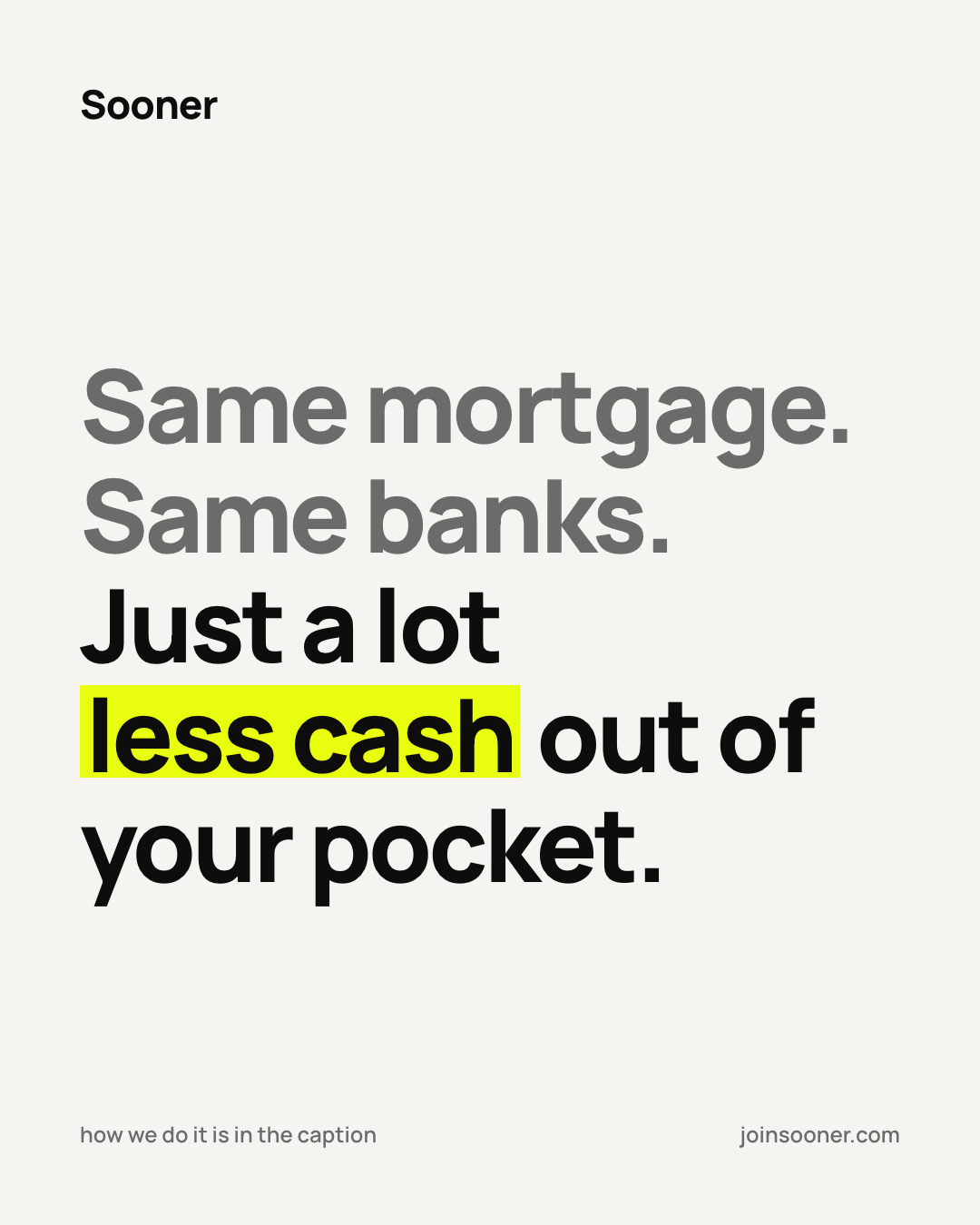
Hero headlines, carousel slides, key stats. Highlight the word or number that delivers the gut punch. One highlight per heading max.
Buttons
Primary button
Background: #E9FE0F
Text: #1C1B17 · 16px · Weight 500
Radius: 8px · Padding: 14px 28px
Hover: #E2F55C
No borders, no shadows
CTA conventions
Sentence case — never ALL CAPS
Add → for forward actions
Sell before the click: "See how much you save →" not "Submit"
Keep it short: 2–5 words
Input Fields
Input spec
Border: 1px solid #E0E0E0
Focus: border-color #1C1B17
Radius: 4px · Font: 18px / 400
Placeholder: #9B9B9B
The calculator breakdown
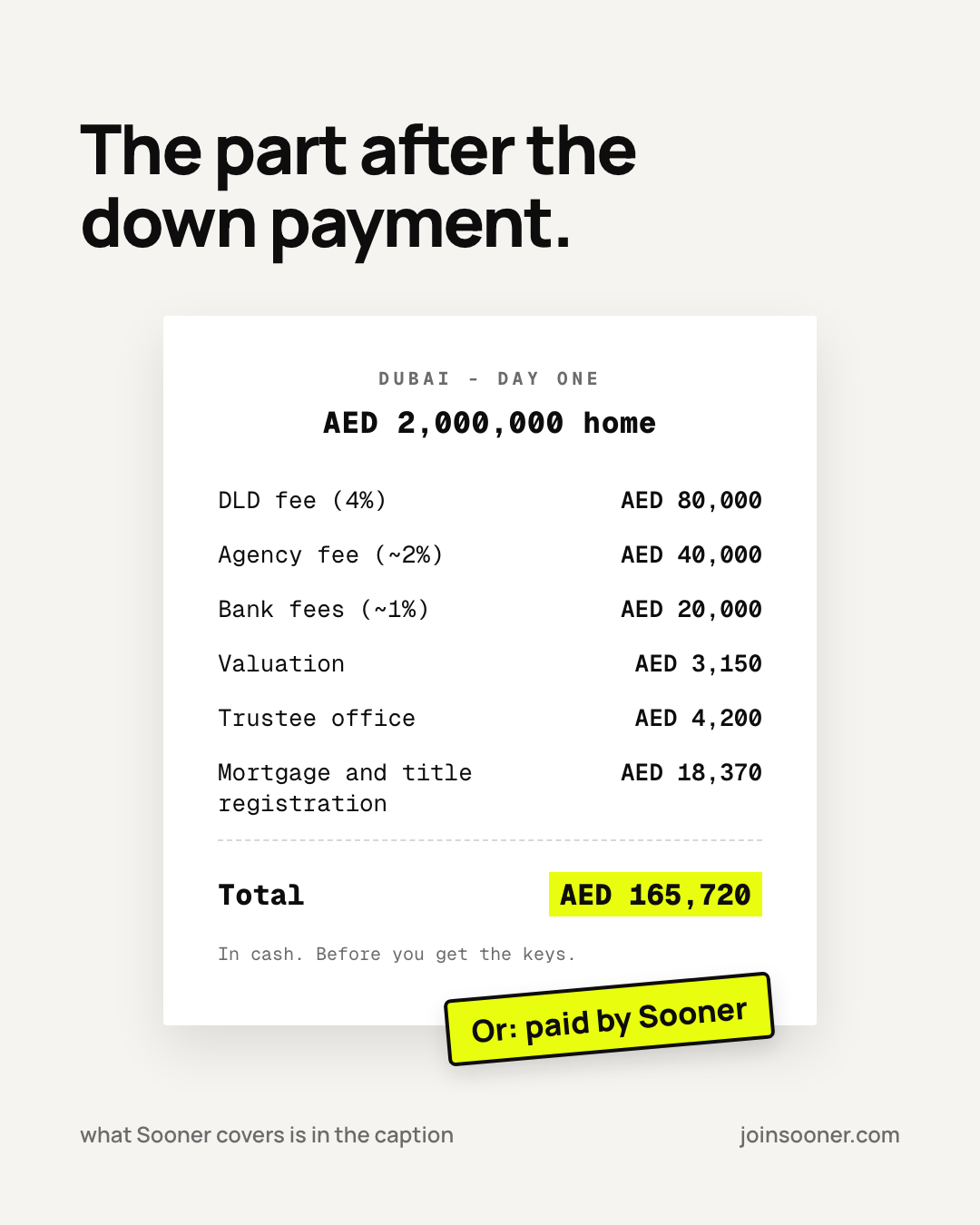
Lead with what they need. Break it into clean line items. Bold the total. Dot leaders for scanability. This is our most-used pattern.
Pattern rules
The gut-punch stat
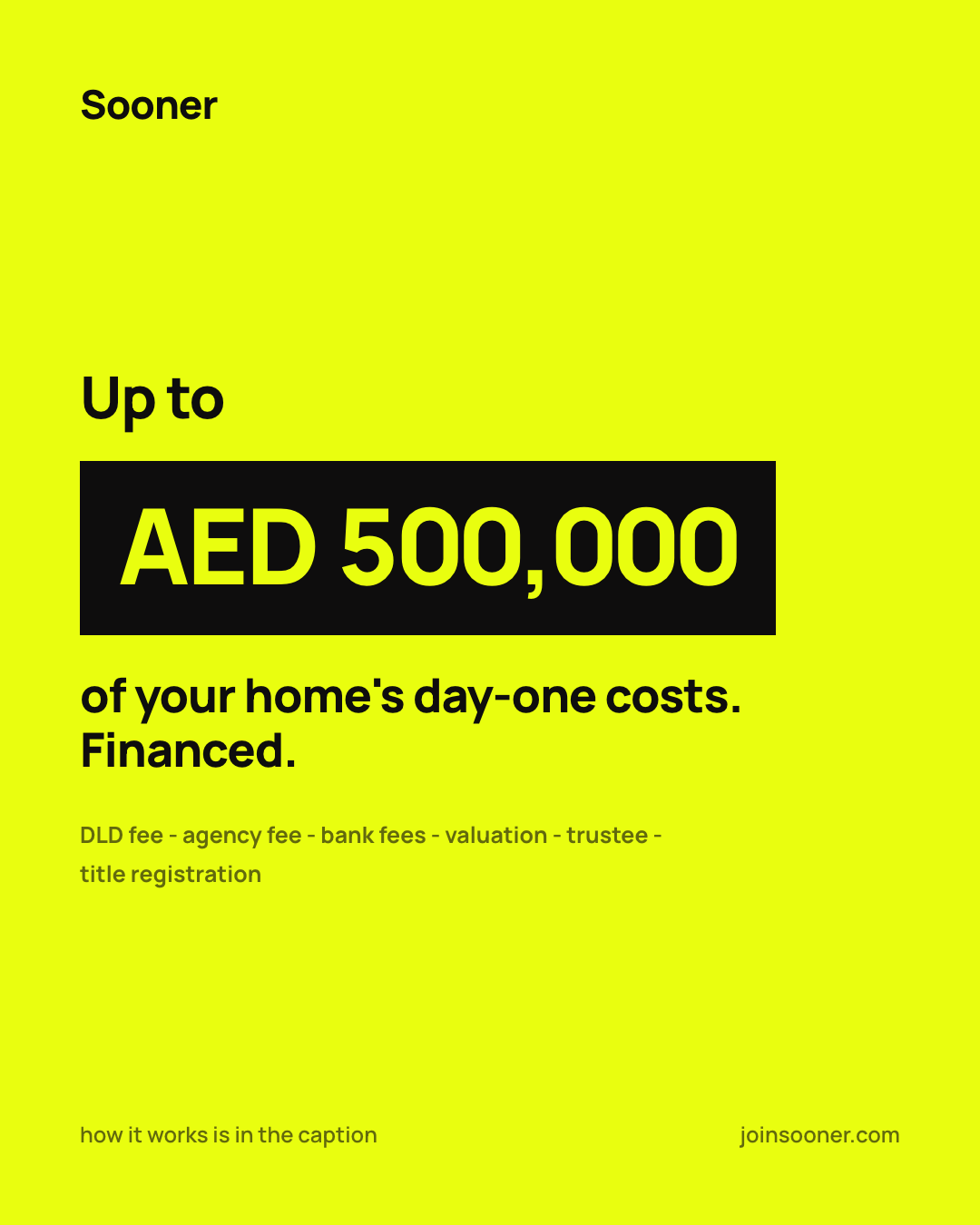
Massive number first. Context second. Used in carousels, social, and landing pages. The number should hit before the brain processes the words.
The confident CTA
Never generic. Sell the outcome before the click. The user should know what they'll get.
Check your eligibility →
See how much you save →
You're eligible for AED 166K in support →
Submit
Click here
Learn more about our services
Split your down payment. Own your home sooner.
Up to AED 300,000 in upfront support.
Sooner pays AED 166K towards your upfront costs.
You bring the down payment. We handle the rest.
We provide comprehensive financial solutions for property acquisition.
Our innovative platform leverages technology to streamline the homebuying journey.
Take the first step towards your dream home today!
Unlock your homeownership potential with our tailored solutions.
Formatting rules
Information hierarchy
Spacing system
Rules
Use
Dubai skyline at golden hour. Modern apartment interiors. Couples on balconies. Aerial neighborhood views. Real property photography.
Avoid
Generic business handshakes. Staged "happy family with keys" shots. Overly filtered or HDR images. Clip art or illustrations.
Arrow Conventions
Use → for forward/continue actions within the app. Use ↗ for external links that open in a new tab.
Bottom-Border Input
Typeform-style input: transparent background, bottom border only (1.5px #1C1B17), large font (22–28px Manrope), placeholder in grey. Focus state keeps border dark.
Spec
Background: transparent
Border: bottom only, 1.5px solid #1C1B17
Font: 22–28px Manrope, weight 400
Placeholder: #9B9B9B
Section Labels
Small uppercase labels used to organize groups within cards. 11px, Manrope weight 600, uppercase, letter-spacing 0.08em, color #6B6B6B.
Spec
Font: 11px Manrope, weight 600
Transform: uppercase
Letter-spacing: 0.08em
Color: #6B6B6B
Calculator / Breakdown Card
White card with structured line items. Labels left in grey, values right in dark. Thick bottom divider before the total row.
Status Badges
Two types: category pills with yellow background, and status badges with border and dot indicator.
Progress Bar
2px height, fixed at viewport top. Sooner Yellow fill indicating percentage complete.
~40% complete
Spec
Height: 2px
Background: #E9FE0F
Position: fixed, top of viewport
Width: percentage of completion
Choice Cards
Selectable cards with hover lift, selected state with yellow border, and keyboard shortcut badges.
Highlight Through Middle — Exact CSS
The exact CSS for our signature yellow highlighter effect. Apply to any inline or inline-block element.
Exact CSS
background-image: linear-gradient( transparent 15%, #E9FE0F 15%, #E9FE0F 70%, transparent 70% ); background-repeat: no-repeat; background-size: 100% 100%;
Primary Button States
Secondary Button States
Input States (Bottom-Border)
Default
Focus / Filled
Please enter a valid amount
Error
Disabled
Choice Card States
Yes / No Button States
Default
Hover
Selected
Default
Selected
Button Hover
Primary buttons darken to #D4E80D on hover. No border changes. Never add a dark border on hover — it looks heavy.
Yellow + Dark Border
Compact elements (checkbox, radio, calendar dot, back button circle) get a dark #1C1B17 border for definition. Rule: if it's compact, outline it. If it's a surface, darken it.
Card Hover
Cards fill yellow with a dark border on hover. This applies to inspiration cards, info cards, and any hoverable card surface.
Selected States
Choice cards: yellow #E9FE0F border + light cream #FEFFF0 fill. Yes/No buttons: yellow fill + yellow border. Never use dark borders on selected states — keep it light and warm.
Dropdown / Select
Checkbox
Radio Button
Phone Input
Date Picker
February 2026
Textarea
12 Columns
Common Layouts
Full width (12 cols)
Content centered (8 cols, offset 2)
Split 50/50 (6 + 6)
Split 2/3 + 1/3 (8 + 4)
Card grid (4 + 4 + 4)
Grid CSS
.container { max-width: 1200px; margin: 0 auto; padding: 0 48px; }
.grid { display: grid; grid-template-columns: repeat(12, 1fr); gap: 24px; }
@media (max-width: 1024px) {
.container { padding: 0 24px; }
}
@media (max-width: 640px) {
.container { padding: 0 16px; }
.grid { gap: 16px; }
}
Timing
Easing
Interactive Examples — Hover to see
Hover Lift
150ms · translateY(-2px)
Hover: sooner
Highlight sweep · 800ms
Progress bar · hover to fill
Rules
prefers-reduced-motion: reduceStandard Transitions CSS
/* Hover lift */
transition: all 0.15s cubic-bezier(0.4, 0, 0.2, 1);
transform: translateY(-1px);
/* Fade in */
@keyframes fadeIn {
from { opacity: 0; transform: translateY(8px); }
to { opacity: 1; transform: none; }
}
animation: fadeIn 0.3s cubic-bezier(0, 0, 0.2, 1);
/* Highlight sweep */
@keyframes highlightSweep {
from { background-size: 0% 100%; }
to { background-size: 100% 100%; }
}
animation: highlightSweep 0.8s 0.3s ease forwards;
Spacing Scale (px)
Breakpoints
< 640px
Mobile
640–1024px
Tablet
> 1024px
Desktop · max 1200px
Component Quick Reference
| Component | Background | Border | Radius | Padding |
|---|---|---|---|---|
| Primary Button | #E9FE0F | none | 8px | 14px 32px |
| Secondary Button | #FFFFFF | 1px #E0E0E0 | 8px | 14px 32px |
| Breakdown Card | #FFFFFF | 1px #E0E0E0 | 12px | 24px |
| Choice Card | #FFFFFF | 1.5px #E0E0E0 | 8px | 16px 20px |
| Badge (Category) | #E9FE0F | none | 4px | 3px 10px |
| Back Button | #FFFFFF | 1px #E0E0E0 | 50% | — (40×40) |
Z-Index Layers
Border Radius
Backdrop overlay
CSS values
/* Level 0 */ box-shadow: none;
/* Level 1 */ box-shadow: 0 1px 3px rgba(0,0,0,0.04),
0 1px 2px rgba(0,0,0,0.06);
/* Level 2 */ box-shadow: 0 4px 12px rgba(0,0,0,0.08);
/* Level 3 */ box-shadow: 0 12px 40px rgba(0,0,0,0.12);
/* Backdrop */ background: rgba(28,27,23,0.5);
backdrop-filter: blur(4px);
Rules
currentColor. Source: lucide.dev — open source, consistent stroke style.
Style
currentColor — inherits text colorSizes
Icon spacing
8px gap between icon and text. Use display: inline-flex; align-items: center; gap: 8px;
Core icon set
prefers-color-scheme. Dark headers stay dark in both modes.
| Token | Light | Dark |
|---|---|---|
| --bg | #F5F4F0 | #1C1B17 |
| --card | #FFFFFF | #2A2924 |
| --text | #1C1B17 | #F5F4F0 |
| --text-secondary | #6B6B6B | #9B9B9B |
| --border | #E0E0E0 | #3A3935 |
| --yellow | #E9FE0F | #E9FE0F ⚡ NEVER changes |
| --error | #D32F2F | #FF6B6B |
Side-by-side preview
Light mode
Your savings
Based on AED 2,000,000 property
Dark mode
Your savings
Based on AED 2,000,000 property
CSS implementation
:root {
--bg: #F5F4F0;
--card: #FFFFFF;
--text: #1C1B17;
--text-secondary: #6B6B6B;
--border: #E0E0E0;
--yellow: #E9FE0F;
--error: #D32F2F;
}
@media (prefers-color-scheme: dark) {
:root {
--bg: #1C1B17;
--card: #2A2924;
--text: #F5F4F0;
--text-secondary: #9B9B9B;
--border: #3A3935;
/* --yellow stays #E9FE0F */
--error: #FF6B6B;
}
}
Form spacing
Card spacing
Section spacing
Nav spacing
Visual spacing diagram — form layout
Grid aesthetic
Alternate between yellow-accent and cream/white posts. Typographic-forward — big numbers, clean copy. Occasional property imagery. Minimal, never cluttered.
Carousel structure
Slide 1: Gut punch stat or question. Slide 2–4: Breakdown with calculator pattern. Final slide: CTA with yellow highlight. Always yellow highlighter through key words.